Password Manager – A Security-Focused Full-Stack Python Project
From a simple tutorial script to a live, secured, self-hosted application.
🔗 Live Demo
|
💻 GitHub Repository
Demo login password: demo123
English Version
This project started as a simple desktop application from the 100 Days of Code – The Complete Python Pro Bootcamp course. What began as a basic tool that saved passwords to a plain text file evolved, step by step, into a fully architected, security-focused application — with encryption, a REST API backend, JWT authentication, a web interface, and a live deployment on my own server. This article follows that evolution.
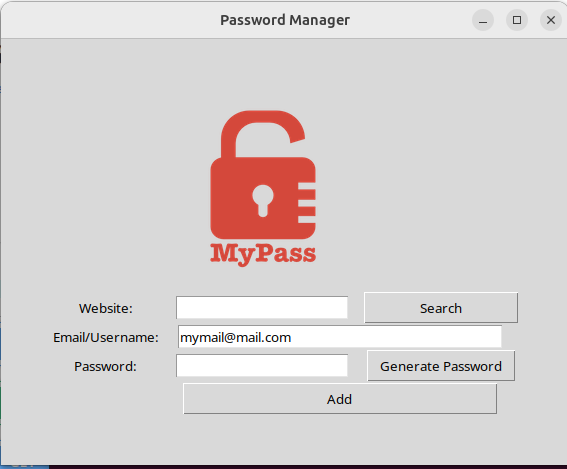
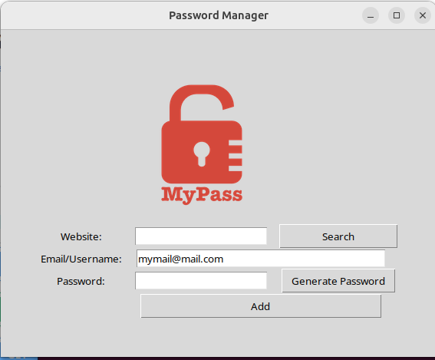
The tkinter desktop client — the original interface, now one of several clients.
The Evolution
Stage 1 — A Basic Desktop Tool
The first version was a tkinter GUI that generated random passwords and saved them to a JSON file. It worked, but passwords were stored in plain text and there was no protection at all. A functional starting point — and a clear list of everything that needed to improve.
Stage 2 — Real Security
The stored passwords were encrypted using Fernet (AES), so the database contents became unreadable without the secret key. A master password was added, hashed with bcrypt and a random salt — never stored in plain text. The flat file was replaced by a proper SQLite database managed through SQLAlchemy ORM.
Stage 3 — A Proper Backend Architecture
The logic was restructured around a clean client-server architecture. A FastAPI REST API now handles all business logic, encryption, and database access. The tkinter GUI became a pure client, communicating only through the API. This means any client — desktop, web, or mobile — can use the same backend without changing a single line of server code.
Clients (tkinter GUI / Web frontend)
        ↓  HTTP requests (JWT token)
   FastAPI Backend
        ↓
   SQLite Database (SQLAlchemy ORM)
All API endpoints are protected with JWT authentication: after login the API issues a signed token, and every subsequent request must include it or be rejected with a 401 Unauthorized response.
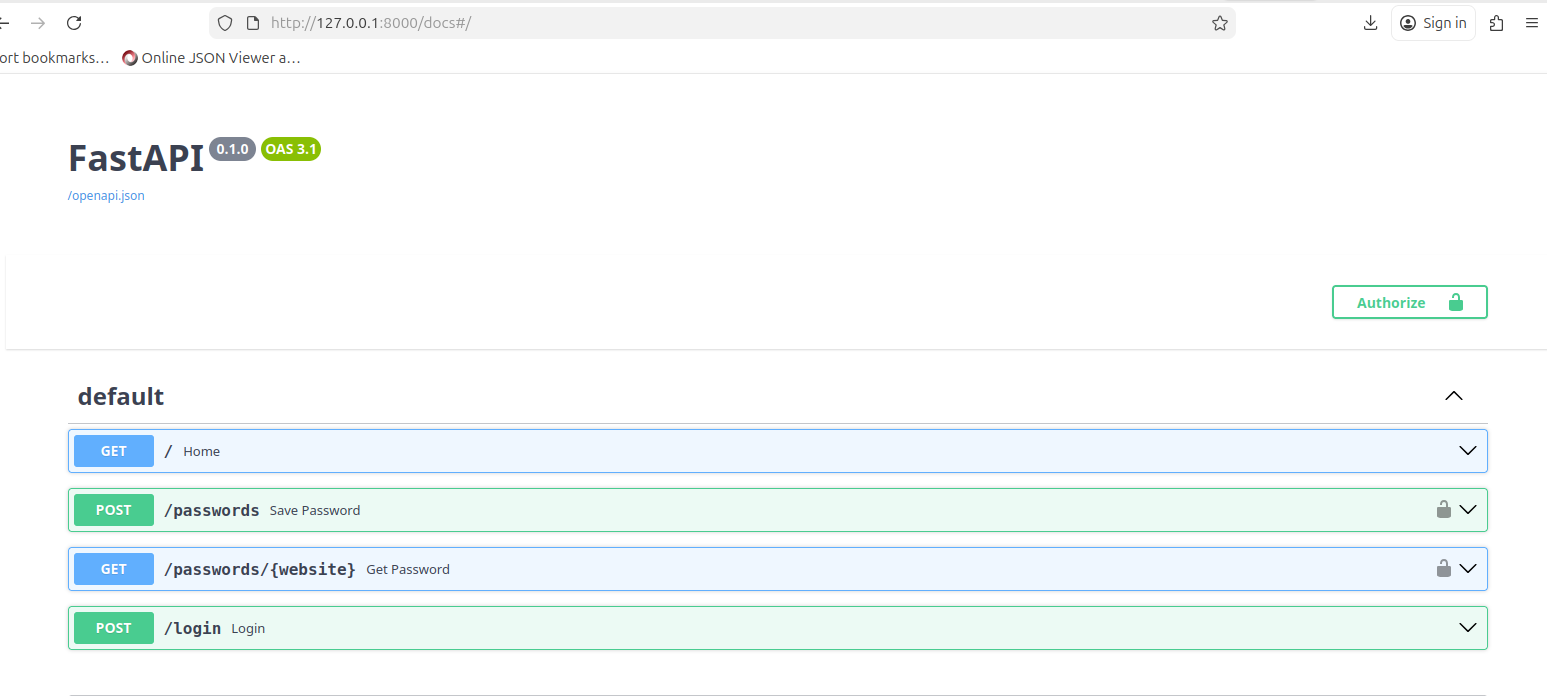
FastAPI's automatic documentation — note the lock icons on the protected endpoints.
Stage 4 — A Web Interface
A browser-based frontend (HTML/CSS/JavaScript) was added, talking to the same FastAPI backend through fetch() calls. The same API that serves the desktop app now serves the web app — a real demonstration of the separation of concerns the architecture was built for.
Stage 5 — Live Deployment on a VPS
The entire project was deployed on a self-configured Hetzner VPS running Ubuntu. This involved configuring Nginx as a reverse proxy, running the backend as a permanent systemd service (auto-restart on crash or reboot), and securing everything with a Let's Encrypt SSL certificate. The app is now live at jkayabas.gr/passmanager.
Stage 6 — Brute-Force Protection with Redis
Most recently, rate limiting was added to the login endpoint using Redis. After five failed attempts, further logins are blocked for 15 minutes — even with the correct password. This protects against brute-force attacks, where an attacker tries thousands of password combinations. Redis tracks the failed-attempt counter with an automatic expiry, so the block clears itself with no manual cleanup.
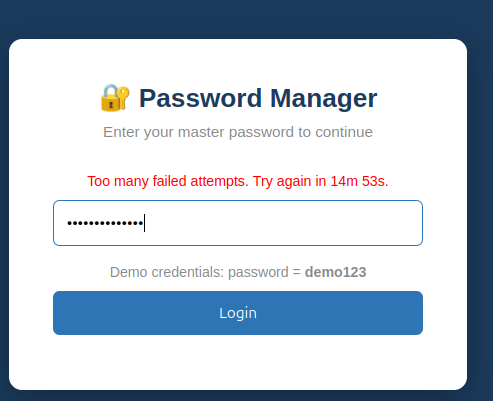
After five failed attempts the login is blocked, with a countdown until it unlocks.
Technologies & Skills Demonstrated
- Python — application logic, encryption, authentication
- FastAPI — REST API backend with JWT-protected endpoints
- SQLAlchemy ORM + SQLite — relational data access
- Fernet (AES) encryption — passwords encrypted at rest
- bcrypt — master password hashing with salt
- JWT authentication — token-based endpoint protection
- Redis — rate limiting / brute-force protection
- HTML / CSS / JavaScript — web frontend client
- Tkinter — desktop GUI client
- Nginx, systemd, Let's Encrypt SSL — VPS deployment
- Git / GitHub — version control with meaningful history
What This Project Taught Me
- Designing a multi-layer application with proper separation of concerns
- The difference between hashing (bcrypt) and encryption (Fernet), and when to use each
- Building and securing a REST API with JWT tokens
- Using Redis for fast, self-expiring data like rate-limit counters
- Deploying and securing a real application on a Linux server from scratch
- Configuring Nginx, systemd services, DNS, and SSL certificates
- Managing secrets safely — environment variables, .gitignore, no keys in version control
- Thinking about architecture and security before writing code
What's Next
The project continues to evolve. Planned next steps include multi-user support with per-user encrypted data and a migration to a PostgreSQL production database — turning this into a fully multi-tenant cloud application.
Explore the project or try it live:
🔗 Live Demo (demo password: demo123) | 💻 GitHub Repository
Ελληνική Έκδοση
Αυτό το project ξεκίνησε ως μια απλή εφαρμογή desktop από το μάθημα 100 Days of Code – The Complete Python Pro Bootcamp. Από ένα βασικό εργαλείο που αποθήκευε κωδικούς σε ένα απλό αρχείο κειμένου, εξελίχθηκε βήμα-βήμα σε μια ολοκληρωμένη, security-focused εφαρμογή — με κρυπτογράφηση, REST API backend, JWT authentication, web interface και live deployment σε δικό μου server. Το άρθρο αυτό ακολουθεί αυτή την εξέλιξη.
Το tkinter desktop client — το αρχικό interface, τώρα ένα από πολλά.
Η Εξέλιξη
Στάδιο 1 — Ένα Βασικό Εργαλείο
Η πρώτη έκδοση ήταν ένα tkinter GUI που δημιουργούσε τυχαίους κωδικούς και τους αποθήκευε σε αρχείο JSON. Λειτουργούσε, αλλά οι κωδικοί ήταν σε plain text χωρίς καμία προστασία. Ένα λειτουργικό ξεκίνημα — και μια ξεκάθαρη λίστα με όσα έπρεπε να βελτιωθούν.
Στάδιο 2 — Πραγματική Ασφάλεια
Οι αποθηκευμένοι κωδικοί κρυπτογραφήθηκαν με Fernet (AES), ώστε το περιεχόμενο της βάσης να είναι μη αναγνώσιμο χωρίς το μυστικό κλειδί. Προστέθηκε master password, hashed με bcrypt και τυχαίο salt — ποτέ σε plain text. Το απλό αρχείο αντικαταστάθηκε από βάση SQLite μέσω SQLAlchemy ORM.
Στάδιο 3 — Σωστή Αρχιτεκτονική Backend
Η λογική αναδιαρθρώθηκε γύρω από μια καθαρή client-server αρχιτεκτονική. Ένα FastAPI REST API αναλαμβάνει πλέον όλη τη λογική, την κρυπτογράφηση και την πρόσβαση στη βάση. Το tkinter GUI έγινε καθαρός client, επικοινωνώντας μόνο μέσω του API. Έτσι, οποιοσδήποτε client — desktop, web ή mobile — μπορεί να χρησιμοποιήσει το ίδιο backend χωρίς αλλαγή ούτε μιας γραμμής κώδικα στον server.
Clients (tkinter GUI / Web frontend)
        ↓  HTTP requests (JWT token)
   FastAPI Backend
        ↓
   SQLite Database (SQLAlchemy ORM)
Όλα τα endpoints προστατεύονται με JWT authentication: μετά το login το API εκδίδει ένα υπογεγραμμένο token, και κάθε επόμενο αίτημα πρέπει να το περιλαμβάνει, αλλιώς απορρίπτεται με 401 Unauthorized.
Η αυτόματη τεκμηρίωση του FastAPI — παρατηρήστε τα εικονίδια κλειδαριάς στα προστατευμένα endpoints.
Στάδιο 4 — Web Interface
Προστέθηκε ένα web frontend (HTML/CSS/JavaScript) που μιλάει με το ίδιο FastAPI backend μέσω κλήσεων fetch(). Το ίδιο API που εξυπηρετεί την desktop εφαρμογή εξυπηρετεί τώρα και την web — μια πραγματική απόδειξη του διαχωρισμού ευθυνών για τον οποίο χτίστηκε η αρχιτεκτονική.
Στάδιο 5 — Live Deployment σε VPS
Ολόκληρο το project deployαρίστηκε σε δικό μου Hetzner VPS με Ubuntu. Αυτό περιλάμβανε ρύθμιση του Nginx ως reverse proxy, εκτέλεση του backend ως μόνιμο systemd service (auto-restart σε crash ή reboot), και ασφάλεια με Let's Encrypt SSL certificate. Η εφαρμογή είναι live στο jkayabas.gr/passmanager.
Στάδιο 6 — Προστασία από Brute-Force με Redis
Πιο πρόσφατα, προστέθηκε rate limiting στο login endpoint με χρήση Redis. Μετά από πέντε αποτυχημένες προσπάθειες, τα επόμενα logins μπλοκάρονται για 15 λεπτά — ακόμα και με σωστό κωδικό. Αυτό προστατεύει από brute-force attacks, όπου ένας επιτιθέμενος δοκιμάζει χιλιάδες συνδυασμούς. Το Redis κρατάει τον μετρητή αποτυχιών με αυτόματη λήξη, οπότε το μπλοκάρισμα καθαρίζεται μόνο του χωρίς χειροκίνητη παρέμβαση.
Μετά από πέντε αποτυχημένες προσπάθειες το login μπλοκάρεται, με αντίστροφη μέτρηση μέχρι το ξεκλείδωμα.
Τεχνολογίες & Δεξιότητες
- Python — λογική εφαρμογής, κρυπτογράφηση, authentication
- FastAPI — REST API backend με JWT-protected endpoints
- SQLAlchemy ORM + SQLite — πρόσβαση σε σχεσιακά δεδομένα
- Κρυπτογράφηση Fernet (AES) — κωδικοί κρυπτογραφημένοι at rest
- bcrypt — hashing του master password με salt
- JWT authentication — προστασία endpoints με token
- Redis — rate limiting / προστασία από brute-force
- HTML / CSS / JavaScript — web frontend client
- Tkinter — desktop GUI client
- Nginx, systemd, Let's Encrypt SSL — deployment σε VPS
- Git / GitHub — version control με ουσιαστικό ιστορικό
Τι Έμαθα από αυτό το Project
- Σχεδιασμό πολυεπίπεδης εφαρμογής με σωστό διαχωρισμό ευθυνών
- Τη διαφορά μεταξύ hashing (bcrypt) και encryption (Fernet), και πότε χρησιμοποιείται το καθένα
- Κατασκευή και ασφάλιση REST API με JWT tokens
- Χρήση Redis για γρήγορα, αυτο-διαγραφόμενα δεδομένα όπως rate-limit counters
- Deployment και ασφάλιση πραγματικής εφαρμογής σε Linux server από το μηδέν
- Ρύθμιση Nginx, systemd services, DNS και SSL certificates
- Ασφαλή διαχείριση secrets — environment variables, .gitignore, κανένα κλειδί στο version control
- Σκέψη για αρχιτεκτονική και ασφάλεια πριν τη συγγραφή κώδικα
Επόμενα Βήματα
Το project συνεχίζει να εξελίσσεται. Τα επόμενα βήματα περιλαμβάνουν υποστήριξη πολλαπλών χρηστών με κρυπτογράφηση ανά χρήστη και μετάβαση σε βάση PostgreSQL για production — μετατρέποντάς το σε πλήρη multi-tenant cloud εφαρμογή.
Δείτε το project ή δοκιμάστε το live:
🔗 Live Demo (demo password: demo123) | 💻 GitHub Repository
This article is written in both English and Greek to support both local and international recruiters and readers.
Από
jkayabas_dev

Σχόλια
Δεν υπάρχουν σχόλια ακόμα.
Συνδεθείτε για να σχολιάσετε.